Cross-share WS 3.97 fork Official CrossPoint
ported to a dev board

Cross-shareCrossPoint on the Waveshare 3.97.

Cross-share is a community fork of CrossPoint Reader, the open-source e-reader firmware, rebuilt for Waveshare's ESP32-S3-ePaper-3.97 development board. Same reader, mapped onto this board's 800×480 panel, rocker switch and SD slot. Flash it from this page over USB.

Latest fork release: …
read this first

This is a fork, not the official firmware.

Everything you read with comes from upstream CrossPoint. This fork only adds what the Waveshare 3.97 needs to boot, draw and take input, and is rebased onto each upstream release.

From upstream

The whole reader

Rendering, library, fonts, languages, WiFi tools and settings are CrossPoint's own, built by the CrossPoint contributors.

Added by this fork

Waveshare 3.97 support

Build targets for the board, its keys, power chip, RTC and 4-bit SD, button hints that match its keys, and on-device updates from this fork's releases.

Support

Report issues here

The CrossPoint maintainers don't support this board. File Waveshare 3.97 problems on the fork's issue tracker, not upstream.

made for this board

Built around the ESP32-S3-ePaper-3.97.

Waveshare sells it as a dev board for voice and display projects. With this firmware it becomes a pocket e-reader.

Rocker switch to turn pages

Push the three-way switch up or down to move and turn pages; press it in (OK) to open or confirm.

BOOT is Back, and wakes it up

The side BOOT key goes back a screen and wakes the reader from sleep. On-screen hints show Back bottom-left and Confirm bottom-right, where the keys are.

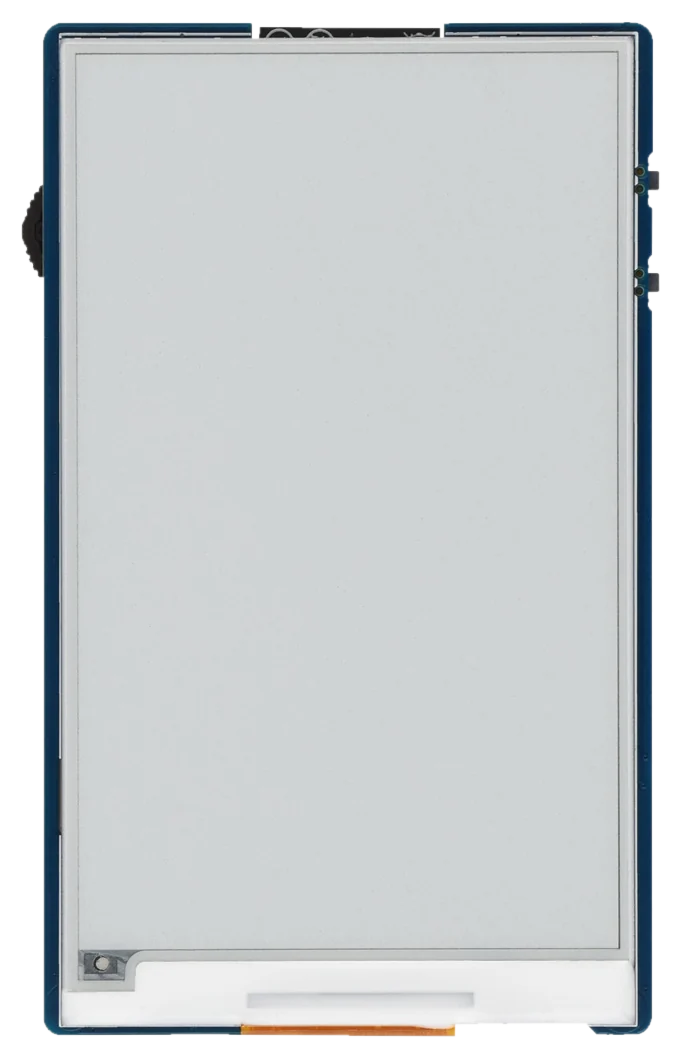
800×480 e-paper

The 3.97" SSD1677 panel, with CrossPoint's typography, anti-aliasing and orientation control.

MicroSD and USB drive mode

Books live on the TF card, read over 4-bit SDMMC. Share the card with a computer as a USB drive to copy books over.

Battery, clock and power chip

Battery level from the onboard power management chip and the time from the PCF85063 RTC, running off the board's 3.7 V Li-ion header.

Updates over WiFi

From 1.6.5-ws397.1 on, the on-device updater follows this fork's releases, so you only need USB once.

make it a real reader

Build your own e-ink reader.

The bare board already reads books. Add a battery and a printed case and it becomes a pocket e-reader you can take anywhere, for the price of a dev board.

  1. Get the board

    The ESP32-S3-ePaper-3.97. The kit version also comes with a battery, a USB cable and a microSD card, which covers most of this list.

  2. Add a battery

    Any 3.7 V Li-ion / LiPo cell with an MX1.25 connector plugs into the BAT header; the board charges it over USB-C. Check it fits inside your case before buying.

  3. Print a case

    A printed housing protects the panel and makes it comfortable to hold. Pick one of the cases below; any enclosure that leaves the rocker, BOOT, PWR, USB-C and SD slot reachable will do.

  4. Load your books

    Copy EPUBs onto a microSD card and put it in the TF slot. Later you can add books over WiFi or share the card as a USB drive.

  5. Flash Cross-share

    Plug it in and flash it from this page. After that, updates come over WiFi.

dress it up

Cases to print.

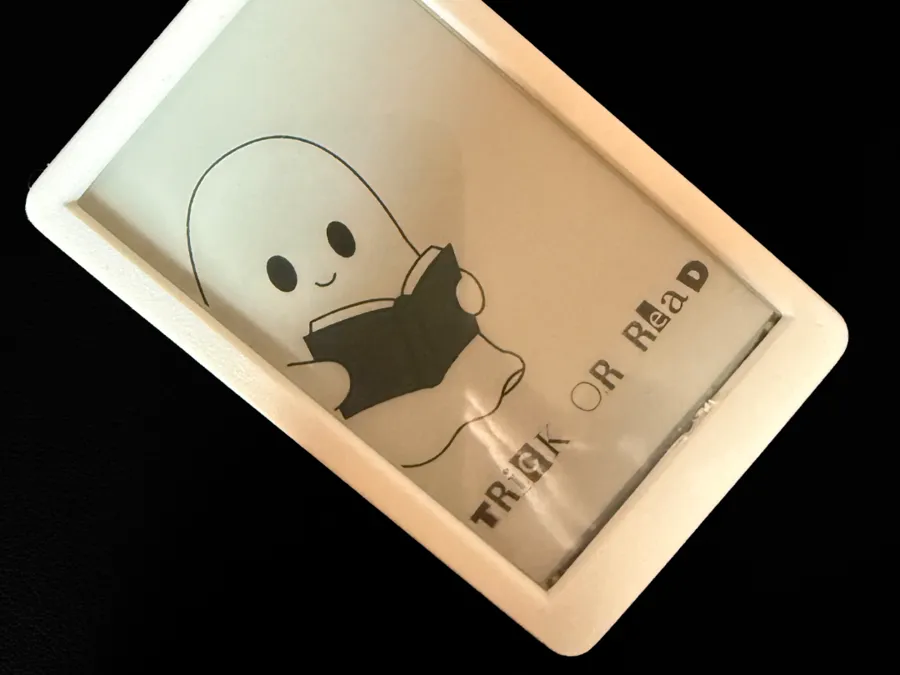
Two printable enclosures for the Waveshare 3.97. Both are free to download; the first was drawn alongside this firmware.

The printed case in white PLA around the Waveshare 3.97, its e-paper panel showing a ghost reading a book Made for Cross-share
by the author of this fork

Waveshare 3.97 case for Cross-share

Designed by Corrado Ignoti (Corra on MakerWorld) to turn the board into a finished Cross-share reader. One plate, no supports, four screws.

1.3 hPrint
32 gPLA
1Plate
Material
PLA
Layer
0.12 mm recommended
Infill
15%, no supports
Hardware
4× M2.5×10 mm screws
Bambu
Ready profile: 0.2 mm, 6 walls, 25% infill
Get it on MakerWorld Licensed CC BY-NC. Likes, prints and photos on MakerWorld help others find it.
courtesy of upstream

Everything CrossPoint reads, it reads here.

The reader itself is unchanged upstream CrossPoint. A few highlights:

EPUB, done properly

EPUB 2/3 with justification, hyphenation, kerning, footnotes and images. Also .txt, .xtc and .bmp.

A real library

Indexed title and author search, recent books and a folder browser for the whole card.

Your fonts

Pick typeface, size, margins and spacing, or drop a TrueType font on the SD card.

34 UI languages

With CJK fallback fonts and right-to-left reading.

Books over WiFi

Web file transfer, WebDAV, Calibre wireless and an OPDS catalog browser.

Never lose your page

Progress kept per book, bookmarks, and KOReader progress sync.

Offline dictionary

Look up words with StarDict dictionaries from the SD card.

Make it yours

Themes, night mode, sleep screens, status bar and refresh settings.

Full feature list and docs at crosspointreader.com. Some features depend on hardware the 3.97 may not have, such as a touch panel.

tracking upstream

Cross-share releases.

Cross-share releases are aligned to CrossPoint releases: each one is an upstream CrossPoint version plus the Waveshare 3.97 patches, and carries its version number, tagged <crosspoint-version>-ws397. Cross-share-only fixes on the same CrossPoint version add .N.

  1. Loading releases…

All releases on GitHub

no tools needed

Flash from your browser.

Over USB, in desktop Chrome or Edge. The firmware is a copy of the fork's GitHub release served by this site, and goes from this tab straight to the board.

1Your device
Waveshare ESP32-S3-ePaper-3.97 The only board this fork supports
Any other device ↗ Xteink, Sticky, M5Paper… use crosspointreader.com
2Choose firmware
Loading releases…
3Connect & flash

Plug the board in with a data USB-C cable, click below and choose its serial port. You'll be asked whether to erase the device first: erase on a first install (replacing Waveshare's demo or any other firmware), skip to update Cross-share and keep your settings. The SD card is never touched.

Unsupported browser Flashing needs the Web Serial API, available in desktop Chrome, Edge and other Chromium browsers. Open this page in one of those instead.
Secure connection required The browser only allows serial access on pages served over HTTPS (or from localhost).

Writes the bootloader, partition table and app image. Takes 2–3 minutes; keep the board connected and this tab open.

when it won't cooperate

Troubleshooting.

The board isn't in the port list

The reader may be asleep, and its USB port disappears while it is. Wake it with BOOT, or force download mode: hold BOOT while plugging in the cable (or while pressing reset). Also try another cable: many USB-C cables are charge-only.

The SD card is showing up as a USB drive

While the card is shared as a drive the serial port is gone. Leave USB drive mode on the device, then try again.

"Failed to open serial port"

Another program holds the port. Close PlatformIO's serial monitor, the Arduino IDE, esptool or any other tab using it.

Nothing happens after flashing

Press reset, or unplug and replug the board. If it was put in download mode it stays there until you do.

It boot-loops or shows a blank screen

Flash again and accept the erase prompt. That wipes settings stored on the board (not the SD card) and starts clean.

I'd rather use esptool or PlatformIO

See the fork's README for esptool.py commands and building with pio run -e ws397-gh_release -t upload.